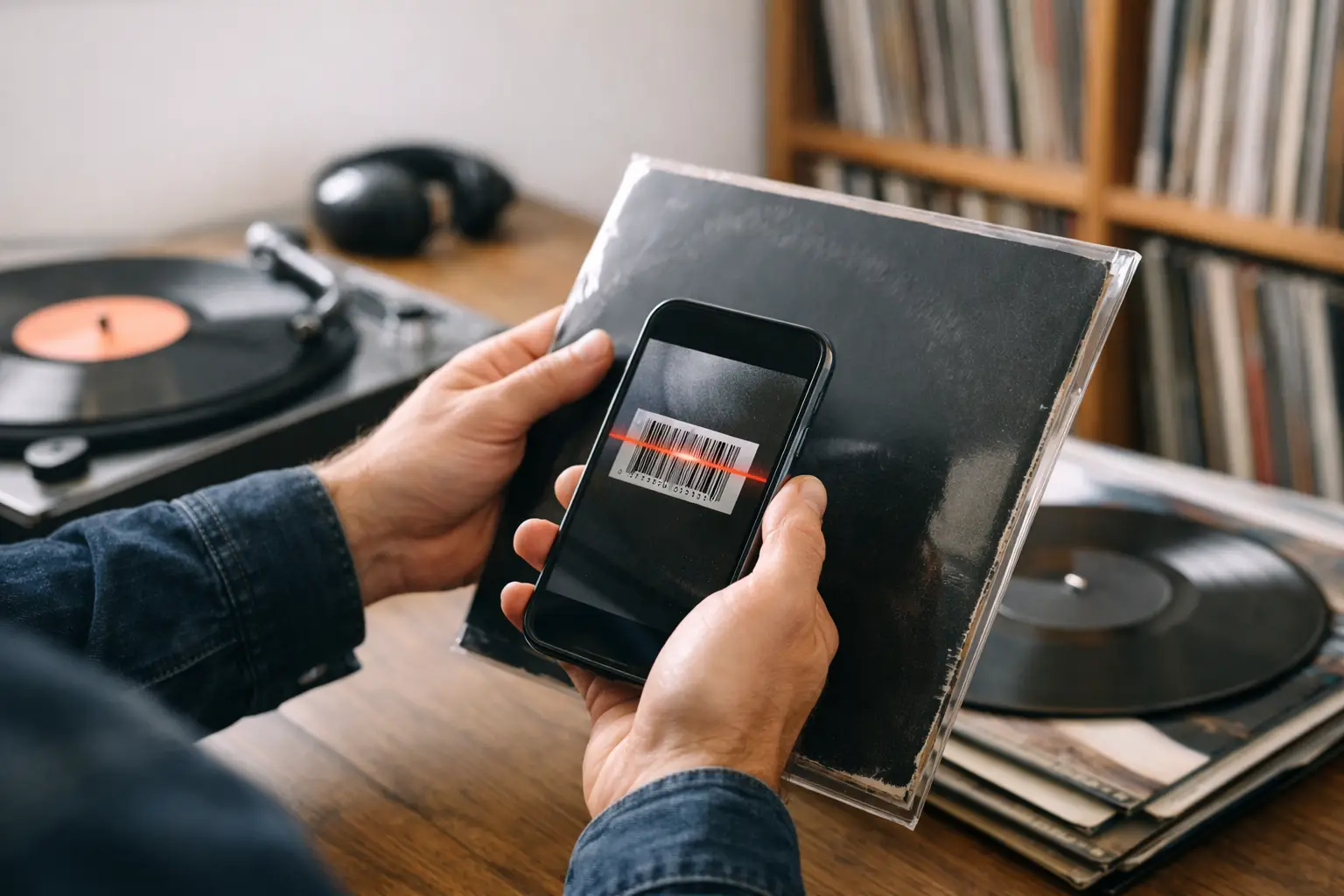

A bad scan is more annoying than no scan at all. You pull a record off the shelf, line up the camera, wait for the beep, and end up with the wrong pressing, a generic release, or nothing useful. That is the real standard a vinyl barcode scanner app has to meet. Not whether it technically reads a code, but whether it gets a collector from sleeve to trusted metadata without friction.
For casual media apps, barcode scanning is a convenience feature. For vinyl collectors, it is intake. It is the front door to cataloging, valuation, wishlist matching, listening logs, and shelf confidence. If the scan experience is slow, inaccurate, or disconnected from the rest of your collection workflow, you feel it every time you add records.
What a vinyl barcode scanner app should actually do
At the surface level, the job seems simple. Open camera, scan barcode, return album. In practice, records make this more complicated than books or grocery items.
A single barcode can point to multiple regional pressings, reissues, label variants, and remasters. Some jackets have damaged shrink wrap stickers. Some older releases have no barcode at all. Some scans land you on a release family when what you really want is the exact pressing in your hand. So the real question is not whether an app can read bars. It is whether the app respects collector-grade ambiguity.
A serious vinyl barcode scanner app needs to do four things well. It should scan quickly, match intelligently, let you verify the release before saving it, and feed that result into a collection system that is worth maintaining. If any of those pieces are weak, the feature becomes a novelty instead of a tool.
Speed matters, but accuracy matters more
Collectors tend to notice speed first because it is visible. You point your iPhone at a sleeve and either the app responds instantly or it hesitates. Good camera handling, fast autofocus, and clean recognition matter. On Apple devices especially, native camera integration can make the difference between something that feels polished and something that feels like a web form wearing an app costume.
But speed alone can be deceptive. A scanner that immediately returns the wrong edition is not efficient. It just gets you to manual cleanup faster.
That is why the best apps pair barcode recognition with strong release data. For most vinyl collectors, that usually means some relationship to Discogs metadata, because that is where the density of release information lives. Even then, barcode matching should not pretend certainty when the barcode points to several possibilities. The right move is to present likely matches clearly, with enough visual and release detail to help you choose without breaking your flow.
The best vinyl barcode scanner app is part of a bigger system
This is where many apps fall apart. They treat scanning like a one-off trick. Scan the record, add it somewhere, done. But collectors do not work in isolated moments. They build libraries over years. They compare pressings, track value changes, log spins, tag shelves, and revisit records constantly.
So the best vinyl barcode scanner app is rarely just a scanner. It is a collection app with a scanner that feels native to the entire experience.
That means the scan should land directly inside your collection database, not in a temporary inbox you forget to process. It should connect to fields that matter, including artist, label, catalog number, format, pressing notes, sleeve condition, media condition, purchase details, custom tags, and market value if that matters to you. It should also be available where collectors actually use their data. On iPhone at the record store, on iPad while reorganizing shelves, and on Mac when cleaning up metadata in bulk.
If the app stops being useful after the barcode scan, it is not built for collectors. It is built for demos.
Barcode scanning is great, until the barcode is wrong or missing
Every experienced collector knows the edge cases. A used LP gets swapped into the wrong jacket. A reissue shares packaging elements with another version. An import release carries a barcode that maps loosely, not precisely. Then there are records with no barcode at all, which means your scanner needs a fallback plan.
This is why the smartest apps do not force barcode scanning to carry the entire workload. They combine it with search, release comparison, manual selection, and increasingly, image-based identification or AI-assisted matching. That hybrid approach is more honest. It recognizes that vinyl data is messy because vinyl itself is messy.
For collectors, that is not a bug. It is part of the culture. Different cuts, different countries, different labels, different deadwax details. A good app should help with that complexity, not flatten it.
What to look for in a vinyl barcode scanner app
If you are evaluating options, start with the collector workflow rather than the camera feature list.
First, check how the app handles ambiguous matches. Does it show multiple likely releases with enough context to make a smart choice, or does it push you into one result and hope for the best? Second, look at what happens after the scan. Can you immediately assign condition, notes, price paid, storage location, or tags? Third, look at ecosystem fit. If you use Apple devices all day, a native app across iPhone, iPad, and Mac will usually feel faster, cleaner, and more reliable than a generic cross-platform tool.
You should also pay attention to collection depth. Some apps are fine for a shelf of fifty records. They become clumsy at five hundred and miserable at five thousand. Serious collectors need search, sorting, analytics, and metadata visibility that scale with obsession.
Finally, pricing model matters more than it first appears. Subscription software can be reasonable when the product is improving fast, but many collectors prefer a one-time purchase for a collection companion they expect to keep for years. That preference is not just about saving money. It reflects how people think about ownership in vinyl culture. The app should feel like part of the collection, not a meter running next to it.
Design is not cosmetic here
Collectors are visual by nature. Sleeve art, label design, shelf presentation, matrix details, inner sleeves. This is a format built around looking closely. So when a vinyl barcode scanner app dumps your records into a flat, ugly spreadsheet, it misses something fundamental.
Good design does practical work. It helps you verify the right release faster. It makes browsing your own library more satisfying. It turns your collection from static inventory into something that feels alive and browsable. When cover art is sharp, layout is thoughtful, and navigation is fast, you spend less time fighting the interface and more time with your records.
That is one reason Apple-first collectors tend to have strong opinions here. A polished native app feels different. The gestures make sense. The typography is clean. The scanner opens fast. Sync behaves the way you expect. Those details add up because this is not a task you do once. It is a ritual you repeat every time the collection grows.
Where advanced features start to matter
Once your library reaches a certain size, scanning is no longer the headline feature. It becomes the entry point to more powerful tools.
Analytics can show what you actually listen to, not just what you own. Price tracking can reveal how your collection shifts over time. Wishlist integration can connect crate-digging with gaps in your library. NFC tagging can tie physical shelves to digital records. AI-assisted identification can help when the barcode fails and visual clues are all you have.
This is where a product like Spinstack stands apart. It treats scanning as the beginning of the collector experience, not the end. The barcode gets the record into your library fast, but the real value comes from what happens next. Richer metadata, better organization, listening history, shelf intelligence, and a collection that feels designed instead of merely stored.
That distinction matters because most collectors are not searching for a scanner. They are searching for control. They want to know what they own, what version they own, what it is worth, what they played last month, and what deserves another spin tonight.
The trade-off between convenience and certainty
There is no perfect barcode workflow for vinyl because the format itself refuses perfect standardization. Some collectors are happy with a close-enough release match if it gets the record into the library quickly. Others want exact pressing confidence and are willing to inspect matrix numbers later. Neither approach is wrong.
The best app supports both. It should be fast enough for record-store triage and careful enough for at-home cataloging. It should let you scan in batches when convenience wins and slow down for release verification when accuracy matters more. Flexibility is the real premium feature.
A vinyl barcode scanner app earns its place when it reduces effort without lowering standards. That is the balance to look for. Not just camera speed, not just database size, and not just pretty cover art, but a workflow that respects how collectors actually think.
Because every record added is more than one more item in a list. It is a pressing, a memory, a hunt, a decision, and sometimes a brag. Your app should treat it that way.
Spinstack is $9.99 once. There is a free 30-day trial with no credit card required. It runs on iPhone, iPad, Mac, and Apple TV.